
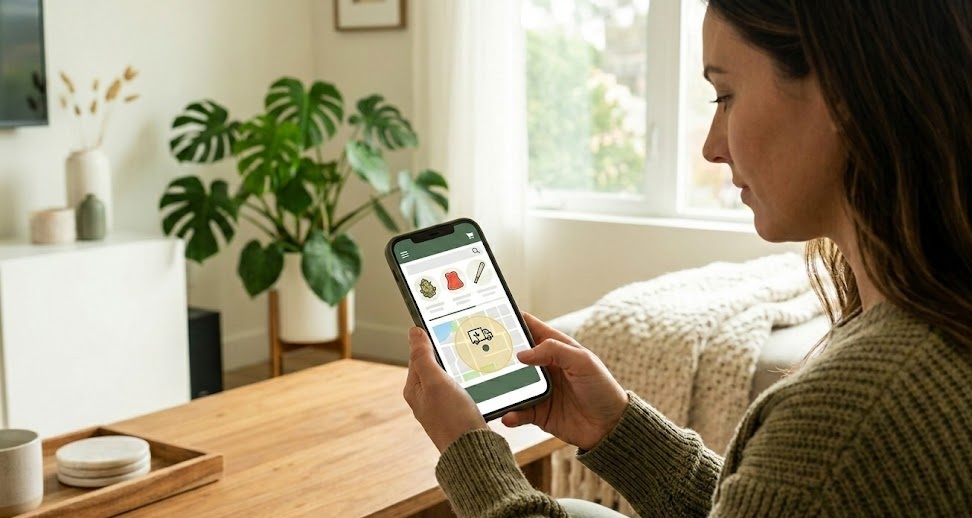
Ordering cannabis online is easier than ordering pizza. You browse a menu, add items to your cart, and wait for delivery. No phone calls. No waiting in line. No awkward conversations.
But if you’ve never done it before, the process might feel unfamiliar. What information do you need? How do you know if a dispensary delivers to your area? What happens at checkout?
This guide walks you through every step of ordering cannabis online in California. By the end, you’ll know exactly what to expect and feel confident placing your first order.
Step 1: Find a Licensed Dispensary That Delivers to You
Not every dispensary delivers to every address. California is big, and each dispensary has a delivery zone based on their location and resources.
Start by searching for dispensaries that serve your area. You can do this by:
- Typing your city or neighborhood plus “cannabis delivery” into Google
- Checking Weedmaps or Leafly for dispensaries near you
- Visiting a specific dispensary’s website and entering your address
When you find a dispensary, look for a delivery zone checker on their website. Enter your address to confirm they can reach you. Some sites do this automatically when you start browsing.
If a dispensary can’t deliver to you, their website will usually let you know before you spend time building an order.
Step 2: Check That the Dispensary Is Licensed
Only buy from licensed dispensaries. This is important for your safety and legal protection.
Licensed dispensaries in California are required to:
- Sell products that have been tested by state-approved labs
- Follow strict safety and labeling rules
- Verify customer age before every sale
- Operate within the legal framework
Unlicensed sellers, sometimes called “gray market” or “black market” operations, don’t follow these rules. Their products may contain pesticides, mold, or inaccurate THC levels. And buying from them puts you at legal risk.
How do you know if a dispensary is licensed? Look for a license number on their website, usually in the footer. California licenses start with “C” followed by numbers (like C10-0000XXX). You can verify the license on the California Department of Cannabis Control website.
Step 3: Create an Account
Most dispensaries require you to create an account before ordering. This usually takes about two minutes.
You’ll need to provide:
- Your email address
- Your phone number
- Your delivery address
- A photo of your valid ID (driver’s license, state ID, or passport)
The ID upload is for age verification. California law requires you to be 21 or older to buy recreational cannabis. The dispensary checks your ID before approving your account.
Some dispensaries verify your ID instantly using automated systems. Others review it manually, which can take a few minutes to a few hours. Plan ahead if you want to order same-day.
Once your account is approved, you won’t need to upload your ID again for future orders. The dispensary keeps your verification on file.
Step 4: Browse the Menu
Now comes the fun part. It’s time to shop.
Dispensary menus are organized by product category. Common categories include:
- Flower: Traditional cannabis buds for smoking or vaping
- Pre-rolls: Ready-to-smoke joints
- Vape cartridges: Oil cartridges that attach to a battery
- Edibles: Gummies, chocolates, drinks, and other food products
- Concentrates: Wax, shatter, live resin, and other high-potency extracts
- Topicals: Creams, balms, and lotions applied to the skin
- Tinctures: Liquid drops taken under the tongue
Click into each category to see what’s available. Product listings typically show:
- The product name and brand
- A photo
- THC and CBD percentages
- The price
- A short description
Many menus let you filter by strain type (indica, sativa, hybrid), price range, or brand. Use these filters to narrow down your options if the selection feels overwhelming.
Step 5: Read Product Details
Before adding something to your cart, click on the product to see more information.
The product detail page often includes:
- A longer description of effects and flavors
- The full cannabinoid profile (THC, CBD, and sometimes minor cannabinoids)
- Terpene information if available
- The size or quantity (grams, milligrams, number of pieces)
- Customer reviews
Take your time here, especially if you’re trying something new. Reading the details helps you choose products that match what you’re looking for.
If you’re unsure about something, look for strains or products you’ve enjoyed before. Sticking with familiar options reduces the risk of disappointment.
Step 6: Add Items to Your Cart
When you find something you want, select the quantity and click “Add to Cart” or a similar button.
Your cart keeps track of everything you’ve selected. You can view it at any time to see:
- The items you’ve added
- The quantity of each item
- The price per item
- Your subtotal
Keep adding products until you have everything you want. Most dispensaries have a minimum order amount for delivery, often between $30 and $50. Your cart will show if you’ve met the minimum.
Step 7: Review Your Cart
Before checking out, review your cart carefully. Make sure you have:
- The correct products (right strain, right brand, right size)
- The correct quantities
- Nothing you added by accident
It’s easier to fix mistakes now than after you’ve placed the order. Remove anything you don’t want and adjust quantities as needed.
Also check the prices. Make sure they match what you expected based on the menu. If something seems off, investigate before proceeding.
Step 8: Enter Delivery Information
At checkout, you’ll confirm your delivery address. Double-check that it’s correct, including:
- Street address and apartment number
- City and zip code
- Any gate codes or access instructions
If your location is tricky to find, add notes in the delivery instructions field. Mention landmarks, parking tips, or anything that helps the driver reach you easily.
Step 9: Choose a Delivery Window
Many dispensaries let you choose when you want your delivery. Options might include:
- ASAP: The next available slot, usually within one to two hours
- Scheduled windows: Specific time ranges later in the day or on a future date
Pick a window when you know you’ll be home. Someone must be present to receive the delivery and show ID. If you’re not there when the driver arrives, they can’t leave your order.
If your schedule is unpredictable, choose a wider window or select a time when you’re certain you’ll be available.
Step 10: Select Your Payment Method
California cannabis dispensaries have a few payment options:
Cash: The most common method. Have the exact amount ready if possible. Drivers carry limited change.
Debit card: Some dispensaries accept debit cards at the door. Not all offer this option, so check before assuming you can pay with a card.
Online payment: A few dispensaries let you pay online using debit, CanPay, or other cannabis payment services. If available, this makes the doorstep exchange faster.
Note that most dispensaries cannot accept credit cards due to federal banking restrictions on cannabis businesses. Don’t count on paying with Visa or Mastercard.
Choose your payment method at checkout and follow any instructions. If paying cash, the site will show your total so you can have the right amount ready.
Step 11: Place Your Order
Review everything one last time:
- Items and quantities
- Delivery address
- Delivery window
- Payment method
- Total cost including any taxes or fees
If everything looks good, click the button to place your order. You’ll see a confirmation screen and receive a confirmation email or text.
Save your order number. You’ll need it if you have questions or issues later.
Step 12: Wait for Updates
After you order, the dispensary will send updates about your delivery. These usually come by text message. Typical updates include:
- Order confirmed
- Order being prepared
- Driver on the way
- Driver arriving soon
Some dispensaries provide a tracking link so you can see the driver’s location in real time. Check your messages for this link after your order ships.
Step 13: Receive Your Delivery
When the driver arrives, they’ll knock or send a text. Here’s what happens:
- Answer the door with your ID in hand
- The driver verifies your ID matches the order
- If paying cash, hand over the payment
- The driver gives you your sealed bag
- The transaction is complete
The whole exchange takes about a minute. Drivers are trained to be quick and professional.
Step 14: Inspect Your Order
Once the driver leaves, open your bag and check that everything is there. Compare the contents against your receipt.
If something is missing or wrong, contact the dispensary right away. They can usually fix the problem quickly.
If everything is correct, you’re done. Enjoy your products.
Tips for a Smooth First Order
Start with a dispensary that has good reviews. Look for comments about delivery speed, product quality, and customer service.
Order before you run out. Same-day delivery is common, but ordering a day ahead gives you more flexibility and less stress.
Keep your phone nearby. You might get calls or texts from the driver if they have trouble finding you.
Have your ID ready. The driver will ask for it, so don’t make them wait while you search.
Tip your driver if you can. It’s not required, but delivery drivers appreciate it, especially on busy days or long routes.
You’ve Got This
Ordering cannabis online is simple once you’ve done it a few times. The first order might feel a little unfamiliar, but by your second or third, it becomes second nature.
No lines. No rushing. No pressure from budtenders. Just browse at your own pace, pick what you want, and wait for it to arrive.
Ready to place your first order? Start shopping now and see how easy it is.